Vaunt Community Boards
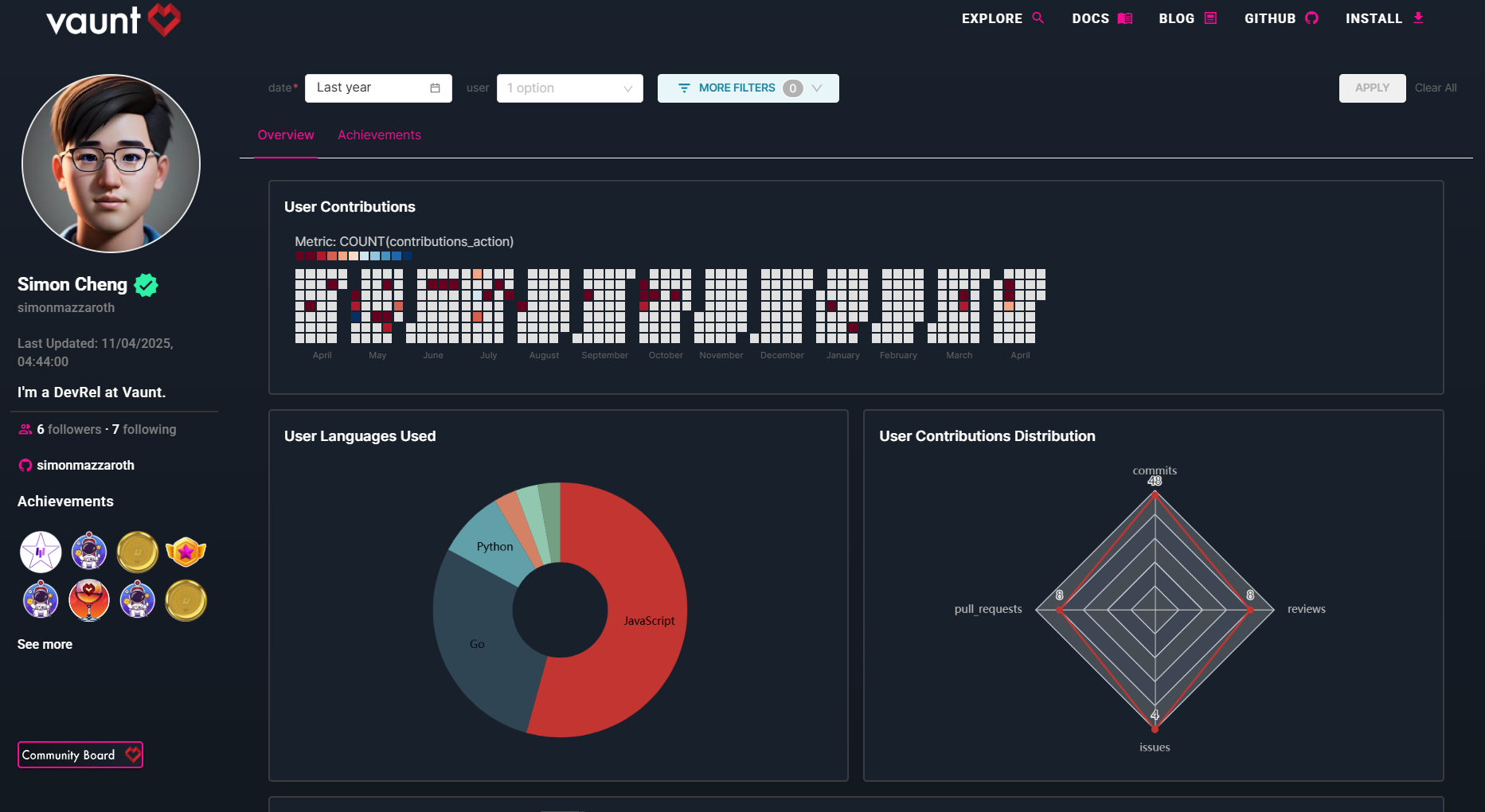
Vaunt Community Boards give developers a visual overview of their open-source activity, including contribution stats, and a view into repository achievements. They help you track your growth, and showcase your work across GitHub.
How to Display Your Community Board in Your GitHub README
- Add this code to your README file, replacing
{github_username}with your GitHub username.
[](https://community.vaunt.dev/board/{github_username})
Once you’ve added the board to your repository, a Vaunt badge will appear in your README file, like the example below:

Click the badge to open your community board.
Here’s a preview of what it looks like:
tip
We recommend installing Vaunt on all your repositories to ensure you accurately track your contributions. By default, all public contributions are counted.